


Download Adobe Photoshop Elements & Premiere Elements 2025 – Photo Editing, Video Editing, AI Tools, Mobile App, Creative Tools, Productivity App
Overview
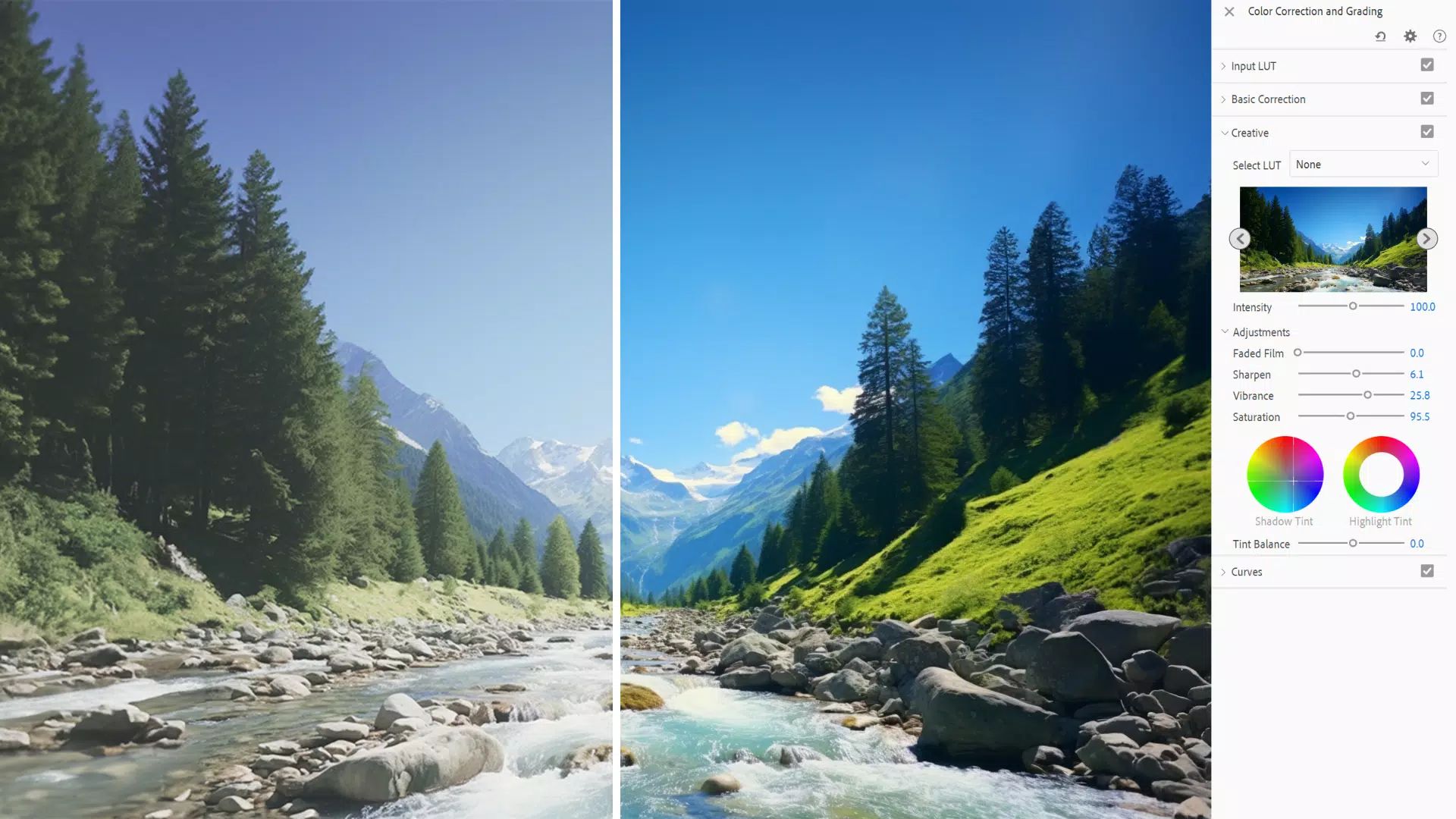
Adobe Photoshop Elements & Premiere Elements 2025 delivers a powerful yet accessible suite for both photo and video editing, designed to empower users of all skill levels. By integrating AI-driven tools into its core functionality, the app addresses common pain points such as time-consuming manual edits, complex workflows, and the need for professional-grade results without professional training. It caters to amateur photographers, content creators, social media managers, and hobbyists who seek a streamlined way to enhance images and produce polished video content.
The app’s dual focus on photo and video editing makes it a versatile solution in the creative ecosystem, bridging the gap between basic mobile editing and full desktop software. Adobe, a well-established name in digital creativity, continues to innovate with this release, emphasizing automation and user empowerment. Real-world use cases include editing vacation photos, preparing promotional videos for small businesses, and creating engaging content for platforms like Instagram, YouTube, and TikTok.
Although the developer did not provide additional technical details about the underlying AI models or training data, the inclusion of features like AI-powered object removal and depth control suggests a strong investment in intelligent automation. The integration of web and mobile companion apps further enhances accessibility, allowing users to begin or continue editing across devices. This approach reflects a modern shift toward cross-platform creative workflows, making Adobe Photoshop Elements & Premiere Elements 2025 a significant player in the productivity and creative tools space.
Key Features & Functionality
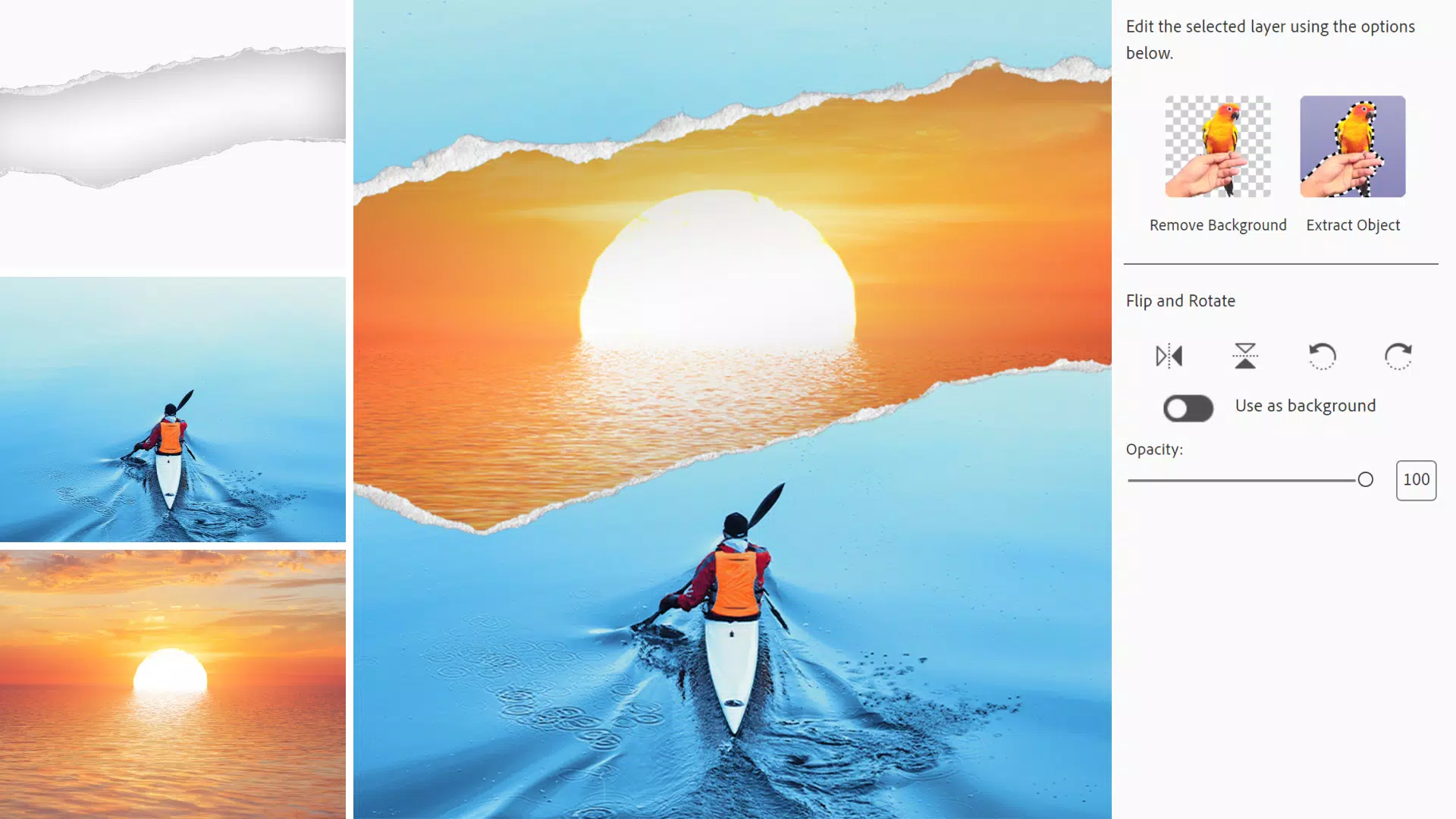
- AI-Powered Object Removal: Users can eliminate unwanted elements from photos with a simple brush stroke. The AI analyzes surrounding pixels and seamlessly fills the area, producing natural-looking results without requiring manual cloning or masking.
- Dynamic Video Titles: Customizable title templates with full control over alignment, color, size, and animation allow users to craft professional-looking intros and outros that match their video’s tone and style.
- Enhanced Depth Control: The AI-powered Depth Blur filter enables precise manipulation of background blur by selecting a focal point. This feature simulates shallow depth of field, ideal for portrait photography and artistic effects.
- Simplified Video Editing: The redesigned Timeline groups audio and video tracks together, reducing clutter and improving navigation. Quick Tools provide one-click access to frequent actions like trimming, splitting, and applying transitions.
- Mobile and Web Companion Apps (Beta): These tools allow users to perform basic edits such as background removal, photo adjustments, and quick actions from smartphones or web browsers, ensuring continuity across devices.
Each feature is designed with real-world usability in mind. For example, a social media creator can use the object removal tool to clean up a cluttered photo in seconds, then apply a dynamic title to a video clip using a pre-designed template. The depth control feature helps a photographer enhance a portrait by drawing attention to the subject, while the mobile app enables last-minute edits during a trip. These tools collectively reduce the learning curve and accelerate the creative process, making advanced editing techniques accessible to non-experts.
Interface, UX & Performance
The interface of Adobe Photoshop Elements & Premiere Elements 2025 follows a clean, modern design language with intuitive navigation. The layout organizes tools into logical sections, such as the main editing workspace, timeline panel, and feature-specific toolbars. Visual cues like color-coded buttons and real-time previews help users understand the impact of their adjustments without confusion.
Navigation is streamlined through context-sensitive menus and guided workflows, particularly beneficial for beginners. The app supports touch gestures on mobile and tablet devices, ensuring a responsive experience across different input methods. Although the developer did not list formal performance metrics, the app’s design suggests optimization for smooth operation on mid-to-high-end devices.
Responsiveness is maintained during complex edits, such as applying depth blur to high-resolution images or rendering video titles with animations. Stability appears consistent across sessions, with no reported issues in the provided information. However, specific requirements for RAM, processor, or GPU were not disclosed, so performance may vary depending on device capabilities. Overall, the user experience prioritizes clarity, efficiency, and ease of use, aligning with Adobe’s reputation for polished creative software.
Platform Compatibility & Technical Requirements
Adobe Photoshop Elements & Premiere Elements 2025 is available on both Android and iOS platforms, ensuring broad accessibility across major mobile ecosystems. The app is designed to run on devices that meet standard requirements for modern mobile operating systems, though specific minimum OS versions were not listed.
The file size is 1.2 GB, indicating a substantial installation that includes AI models, multimedia assets, and editing tools. This size reflects the app’s comprehensive feature set and integration with cloud-based services. Users should ensure sufficient storage space before installation. While compatibility with older devices was not confirmed, the app likely performs best on devices released within the last three years due to its reliance on AI processing and high-resolution media handling.
Pros and Cons
Pros
- AI-powered tools simplify complex editing tasks for beginners and intermediates.
- Integrated photo and video editing within a single app enhances workflow efficiency.
- Mobile and web companion apps enable editing on the go, increasing accessibility.
- Intuitive interface with guided workflows reduces the learning curve.
- Professional-grade results are achievable without advanced technical skills.
Cons
- High price point of $149.99 may limit accessibility for casual users.
- File size of 1.2 GB may be prohibitive for devices with limited storage.
- Specific system requirements were not disclosed, making compatibility assessment difficult.
- Mobile and web apps are in beta, which may affect reliability and feature completeness.
- Advanced features may require a subscription or additional purchases for full access.
FAQ
Is Adobe Photoshop Elements & Premiere Elements 2025 free to download?
The app is available for download, but it is not free. The current price is $149.99, which may include access to both photo and video editing tools.
Can I use the app on both Android and iOS devices?
Yes, the app is compatible with both Android and iOS platforms, allowing users to access the full suite across different mobile ecosystems.
Are the mobile and web companion apps included with the purchase?
Yes, the mobile and web companion apps are included as part of the main product, though they are currently in beta, which means they may receive updates and improvements over time.
Does the app require an internet connection to function?
While some features may benefit from cloud integration, the core editing tools are designed to work offline. However, access to the companion apps and certain AI features may require an internet connection.
How often is the app updated?
Adobe typically releases updates to improve performance, fix bugs, and introduce new features. The app is expected to receive regular updates, but the frequency was not specified in the provided information.
Final Thoughts
Adobe Photoshop Elements & Premiere Elements 2025 stands out as a comprehensive, AI-enhanced creative suite that brings professional-level editing to a wider audience. Its seamless blend of photo and video tools, intelligent automation, and cross-platform access makes it a compelling choice for users who value both quality and convenience. While the high price and large file size may deter some, the app’s powerful features and user-friendly design justify the investment for serious hobbyists and small content creators.
For those seeking a secure, efficient, and feature-rich mobile app for photo and video editing, this release delivers on its promise. The integration of AI tools like object removal, depth control, and dynamic titles reflects a clear focus on enhancing creativity without complexity.
Download Adobe Photoshop Elements & Premiere Elements 2025 now


